AiResovia

AiResovia Desk

A request desk for SAP support and shared-service teams. It turns e-mails and web forms into complete, approved and traceable tickets, and runs inside your own network.

Watch one request from e-mail to audit

Two minutes, real screens, sample data: a request with a missing detail, the Action needed reply, two approvals, the work and the audit check.

Checked before it becomes a ticket

Desk reads new request mails and checks them against the form for that request type. If something is missing or wrong, the sender gets one clear reply that lists what to add and the allowed values.

  • Works with Outlook on the desktop, Microsoft 365 and any IMAP mailbox
  • A reply in the same thread completes the request, with every attachment kept
  • One reminder, then the request closes if nobody answers (2 and 5 days by default)
  • Suspicious mail is held for security review instead of being processed
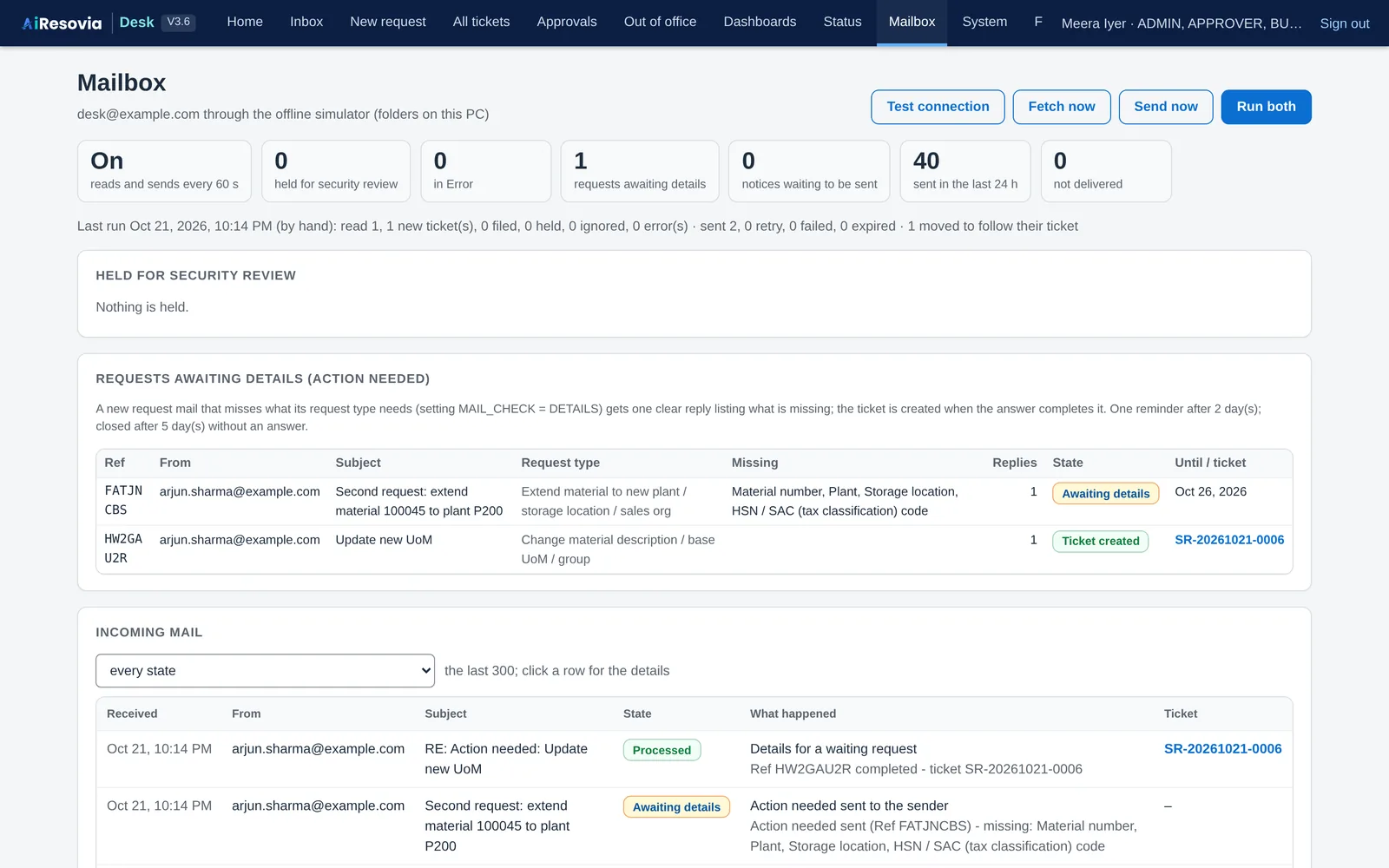
The Mailbox page with one request completed into a ticket and one waiting for details
Mailbox: what came in, what was asked back, what became a ticket.

Forms that fit each request

Each request type has its own form. Which fields are mandatory, optional or hidden can vary by country, company, plant and industry, all set in configuration.

  • SAP table and field names behind every form field
  • Line items for bulk requests, with an Excel template that follows the same rules
  • New request types, forms and rules without code changes
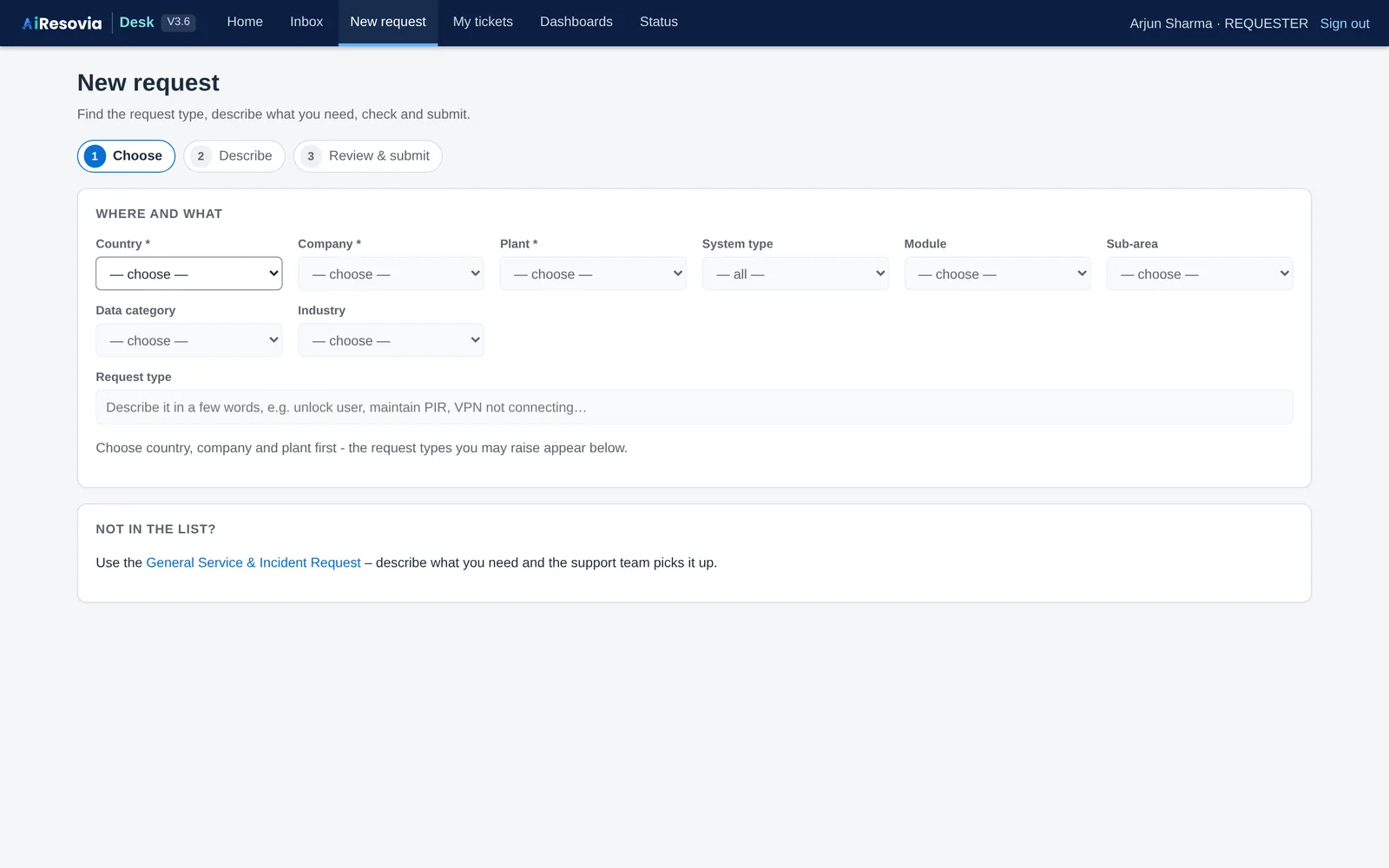
The New request page with the request catalogue
New request: pick the request type, and the form adapts to your organisation.

Approvals with real controls

Approval levels and approvers come from your rules. Desk enforces separation of duties and the four-eyes principle on every decision.

  • Requesters can never approve their own request
  • One person cannot approve two levels of the same request
  • Substitutes take over while an approver is away, and both names are recorded
  • Approvers can send a request back with a question
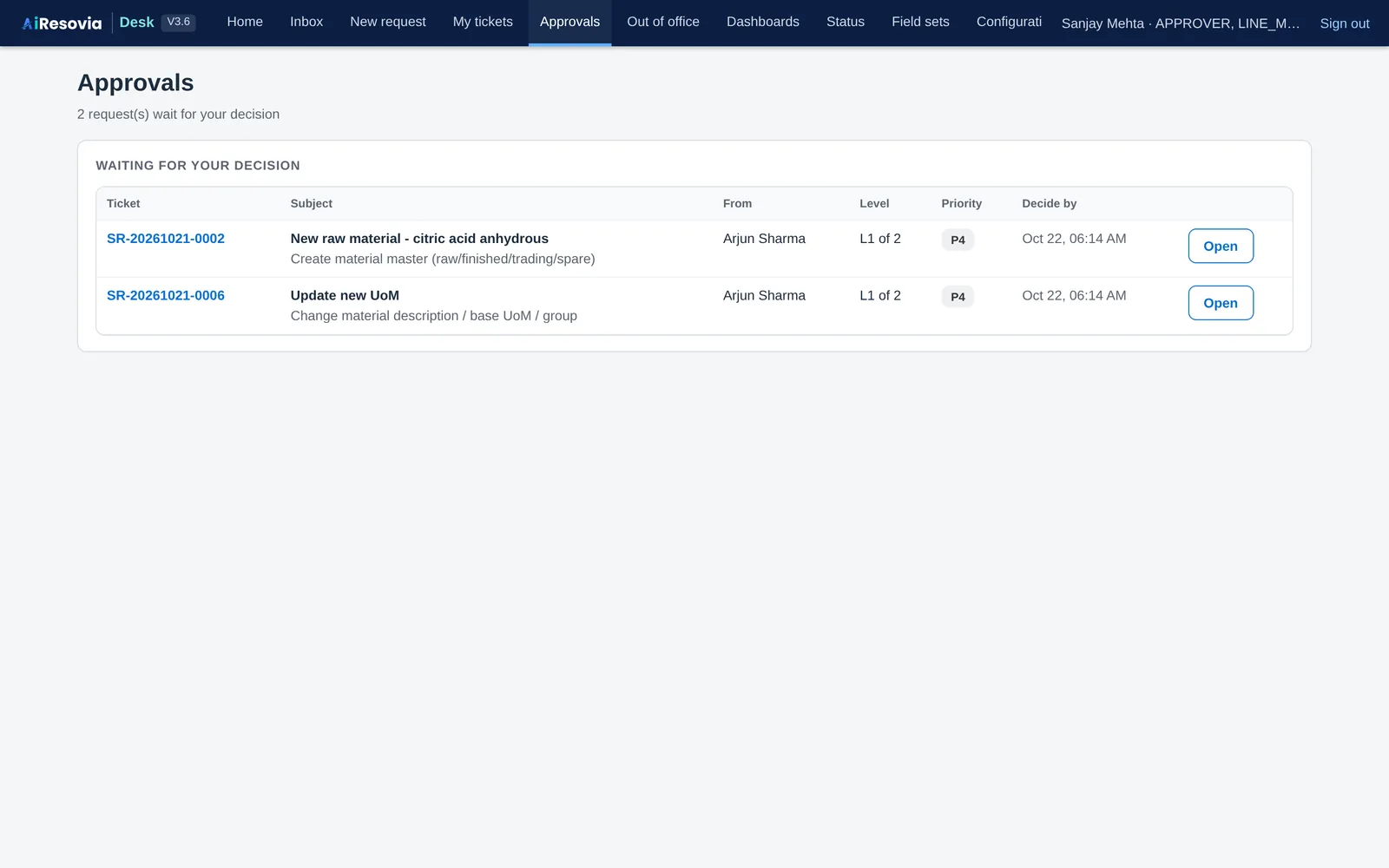
The approver's queue
Approvals: everything waiting for your decision.

Work that keeps moving

Tickets go to the team member with the fewest open tickets, and skip anyone on leave. Service levels run on your working calendar.

  • First response and resolution targets, with working hours and holidays
  • The clock pauses while the team waits for the requester
  • Reminders, an escalation ladder, and automatic closing when nobody replies
  • Going on leave: hand over all open tickets to a colleague in one step
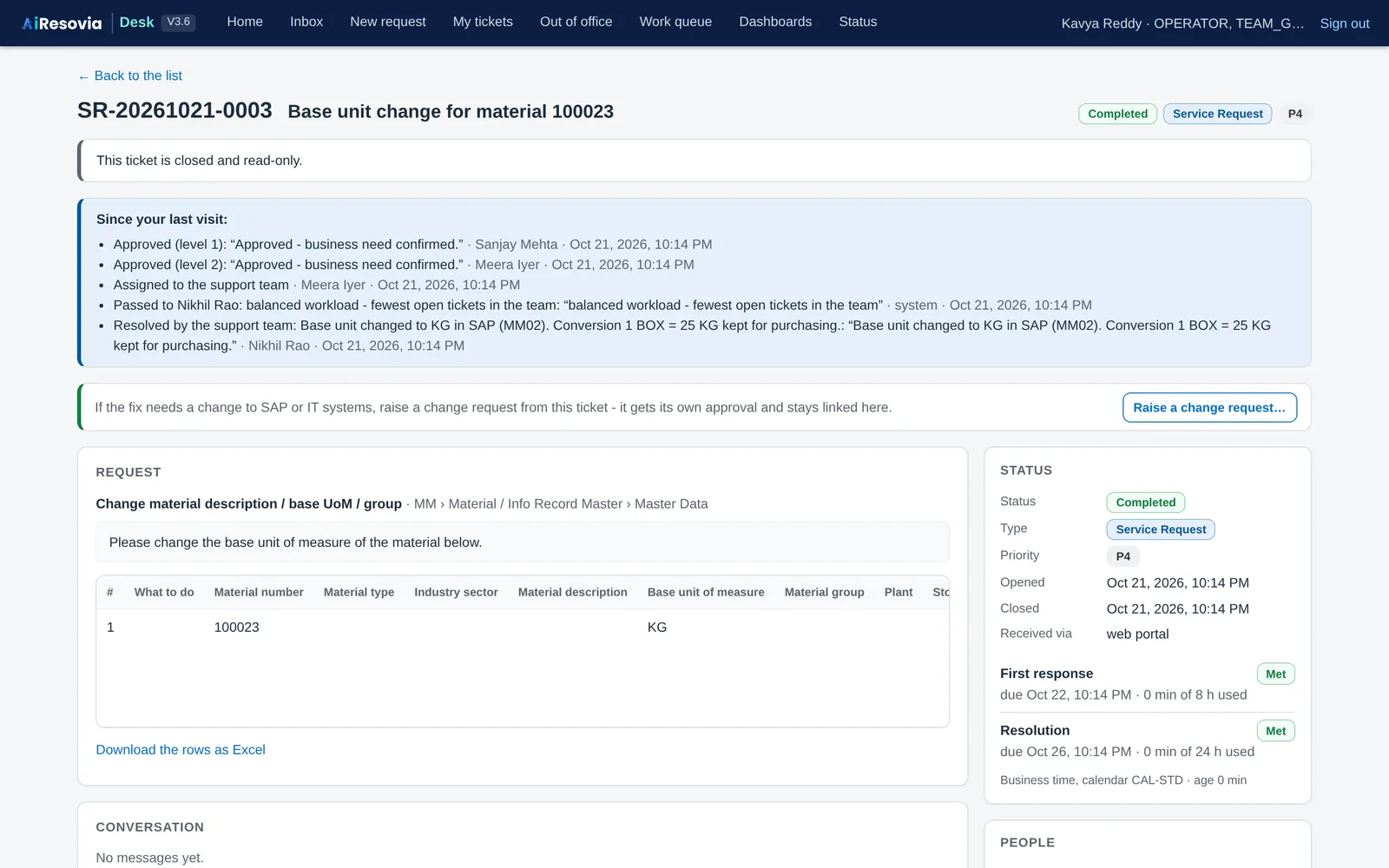
A completed ticket with its history and service levels
A ticket: history, decisions and service levels in one view.

Evidence for every audit

Every login, decision and configuration change is written to an audit trail. Each record is chained to the previous one with a secret key, so any later change shows up when the trail is verified.

  • Auditors get their own read-only view
  • Evidence packs and reports download as Excel or CSV
  • Configuration changes made on the web wait for a second person to publish them
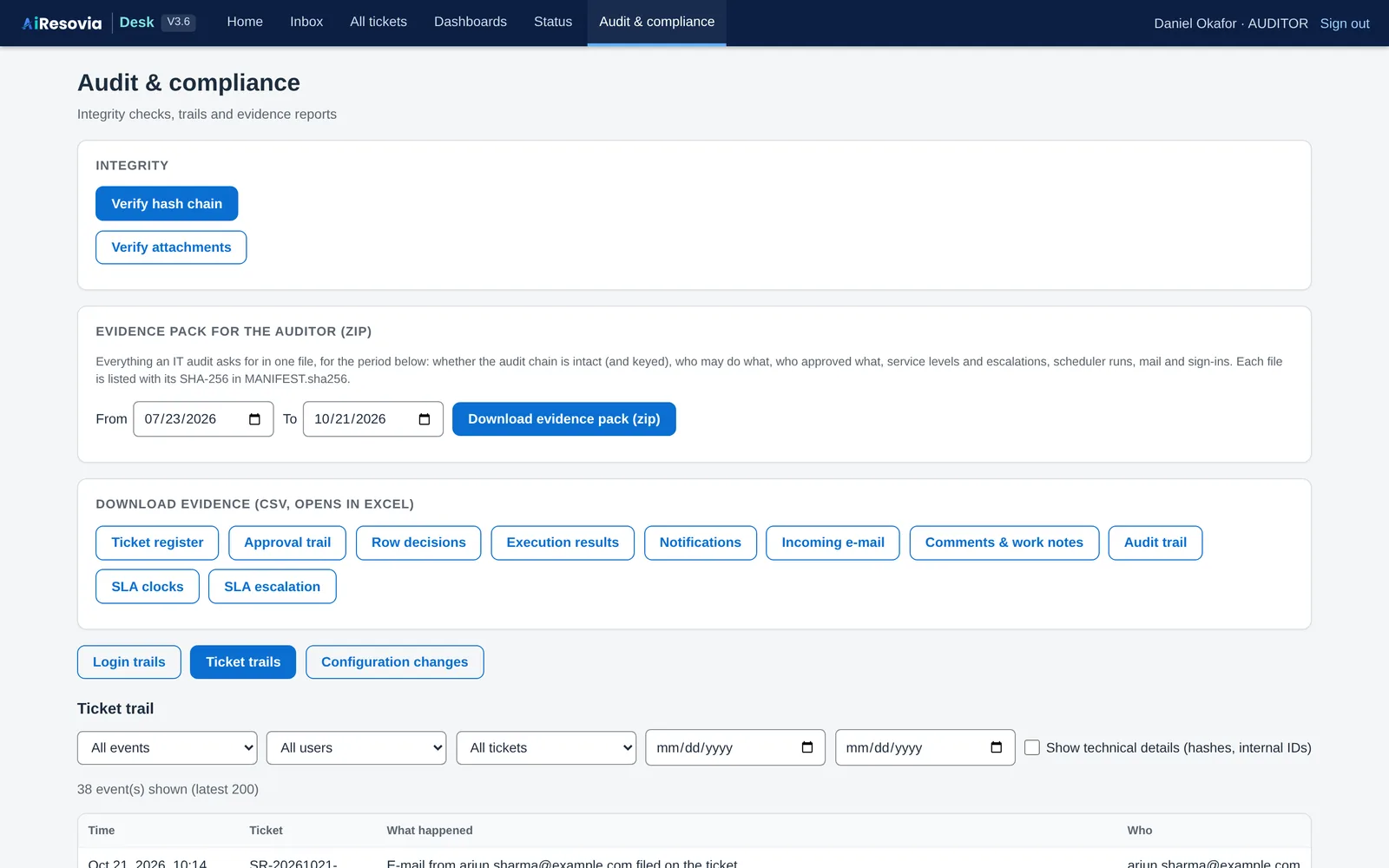
The audit and compliance page
Audit: verify the trail and download evidence.

What you need to run it

  • A Windows PC or server inside your network
  • Python 3.10 or newer (free)
  • A mailbox: Outlook on the desktop, Microsoft 365, or any IMAP/SMTP mailbox
  • Your request types, approvers and teams, maintained in one Excel workbook

What Desk does not do yet

  • It does not change SAP out of the box. Automation of SAP steps is set up for your landscape as part of a project, see SAP automation. Without it, your team carries out the approved work in SAP and records the reference.
  • It does not use AI to read requests today. Checks follow the rules you configure, so every outcome can be explained.
  • Sizing for large teams is confirmed with each pilot.

Questions we hear

Does any of our data leave our company?

No. Desk runs on your own PC or server and stores its data in a local database. Mail is read from and sent through your own mailbox.

Do we need Microsoft 365 admin rights?

No. Desk can work with Outlook on the desktop or with any IMAP mailbox. Microsoft 365 through Microsoft Graph is also supported if your IT team prefers it.

Can we add our own request types?

Yes. Request types, forms, field rules, approval levels, teams and notices are configuration in an Excel workbook or in the configuration pages. Changes made on the web are published only after a second person reviews them.

Can Desk automate work in SAP?

Yes, as part of a project. Once a request is approved, routine SAP steps can run automatically through SAP interfaces or bots that we set up for your landscape, and every step is recorded on the ticket and in the audit trail.

Which SAP modules does it cover?

Desk is not tied to one module. The current pilot content covers SAP MM master data and transactional requests, and the catalogue holds request types for other modules that you can switch on.

Can it carry our company's name and logo?

That is part of the plan for client deployments. Tell us what you need in your pilot request.

See it with your own requests

Send us two or three request types your team handles today. We will show you how Desk handles them.